


Stories you may like
AI Interaction Designer
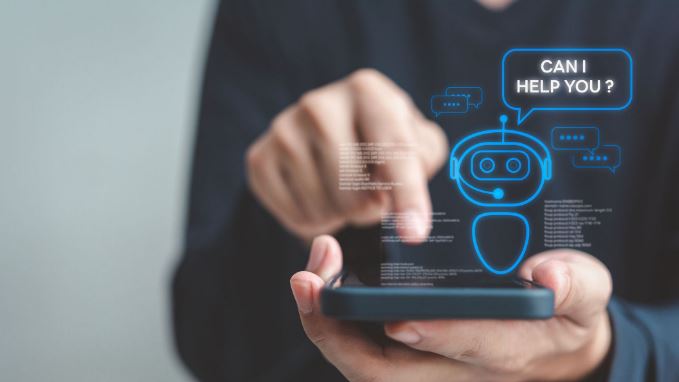
An AI interaction designer designs how people interact with AI systems, such as chatbots, virtual assistants, or smart apps. Their main focus is on making these interactions feel natural, clear, and easy to use. They decide how the AI responds, what it says, and how conversations or actions flow so users can get what they need without confusion.
They also think carefully about how users give input and how the AI provides output, making sure the experience feels smooth and intuitive. This role is a good fit for someone who enjoys both design and problem-solving, especially if they’re interested in how people communicate with technology. It combines creativity with structure, helping turn complex AI systems into simple, user-friendly experiences.
Duties and Responsibilities
The duties and responsibilities of an AI interaction designer can vary depending on the company and product, but the role generally focuses on designing clear, effective, and user-friendly interactions between people and AI systems. Common duties and responsibilities typically include:
- Designing Interaction Flows: Create and map out how users interact with AI systems, including inputs, responses, and overall flow. Ensure interactions are logical, intuitive, and easy to follow.
- Crafting AI Responses: Define how the AI communicates, including tone, wording, and structure of responses. Make sure responses are clear, helpful, and aligned with user expectations.
- Collaborating with Teams: Work closely with developers, UX designers, and product teams to bring interaction designs to life. Ensure the final product matches the intended user experience.
- Testing and Improving Interactions: Evaluate how users interact with the AI and identify areas for improvement. Use feedback and data to refine and optimize the interaction experience.
- Handling Edge Cases: Plan for unexpected inputs or errors and design appropriate AI responses. Ensure the system can guide users back on track when something goes wrong.
- Maintaining Consistency: Ensure a consistent interaction style across all parts of the AI system. This helps create a seamless and predictable experience for users.
Workplace of an AI Interaction Designer
The workplace of an AI interaction designer is mostly tech-focused, with a mix of creative and analytical tasks. Much of the work happens at a computer, designing conversation flows, testing AI responses, and creating prototypes. Designers often use specialized tools and software to map interactions, simulate AI behavior, and collaborate with other teams.
Collaboration is a big part of the job. AI interaction designers work closely with product managers, UX designers, developers, and sometimes data scientists to ensure the AI behaves as intended. They attend meetings to discuss project goals, review feedback, and make adjustments to improve the user experience.
The environment is usually fast-paced and constantly evolving because AI technology changes quickly. Designers need to stay up to date with new tools, trends, and research on human-computer interaction. While the work is technical, it also involves creativity and empathy, as designers aim to make AI systems feel natural, helpful, and enjoyable for users.
How to become an AI Interaction Designer
Becoming an AI interaction designer involves developing a mix of technical, design, and human-centered skills to create smooth, intuitive interactions between people and AI systems. The path can vary depending on your background, but several key steps are common for most aspiring AI interaction designers:
- Formal Education (Optional): Many start with a degree in computer science, human-computer interaction (HCI), artificial intelligence, interaction design, UX design, or a related field. While not strictly required, formal education provides a strong foundation in design principles, user research, and technical skills.
- Learn AI Basics: Understand how AI systems, chatbots, and machine learning models work. Familiarity with algorithms, NLP (natural language processing), and AI behavior helps designers create realistic and effective interactions.
- Develop Design and Technical Skills: Gain experience in UX/UI design, prototyping tools, and design software. Learning some programming, AI frameworks, or chatbot platforms is valuable for testing and implementing interaction designs.
- Build a Portfolio: Work on projects that demonstrate your ability to design AI interactions. This could include chatbots, voice assistants, or other interactive AI prototypes that show your skills in action.
- Improve Communication and Problem-Solving Skills: AI interaction designers need to work with both technical teams and end users. Strong communication, critical thinking, and empathy are essential to understand user needs and translate them into effective AI experiences.
- Stay Updated and Network: AI and interaction design are rapidly evolving fields. Attend workshops, join professional communities, and follow industry trends to keep your skills current and grow career opportunities.
SKILLS
1. UX & Interaction Design Fundamentals
- User-centered design principles
- Wireframing & prototyping (tools like Figma, Adobe XD)
- Information architecture
- Usability testing
You must design flows that feel natural, especially when users interact with AI systems.
2. Understanding of AI & Machine Learning Basics
- Basics of how AI models work (no need to be a deep coder)
- Concepts like:
- Natural Language Processing (NLP)
- Machine Learning (ML)
- Generative AI
Knowing AI limitations helps you design realistic and effective interactions.
3. Conversational Design
- Designing chatbot and voice assistant flows
- Writing clear prompts and responses
- Tone, personality, and dialogue structuring
Tools like Dialogflow or Rasa are useful here.
4. Psychology & Human Behavior
- Cognitive psychology basics
- User intent understanding
- Decision-making patterns
Helps you predict how users will interact with AI.
5. Prototyping AI Experiences
- Creating interactive prototypes for AI flows
- Simulating conversations
- Testing edge cases and failures
6. Data Literacy
- Understanding user data and behavior
- Analyzing interaction patterns
- Improving AI responses based on feedback
7. Basic Technical Skills
- Basic coding (Python, JavaScript – helpful, not mandatory)
- API understanding
- Working with AI teams and developers
8. UI Design Skills
- Visual design basics (color, typography, layout)
- Designing interfaces for AI-driven apps
9. Ethics & Responsible AI
- Bias in AI systems
- Privacy and data protection
- Transparency in AI decisions
Bonus Skills (Highly Valuable)
- Prompt engineering
- Voice UI design (VUI)
- Multimodal interaction design (text + voice + visuals)
- Familiarity with tools like ChatGPT
SALARY
Average Salary Range (India)
- Entry-level (0–2 years): ₹3 LPA – ₹8 LPA
- Mid-level (3–6 years): ₹8 LPA – ₹18 LPA
- Senior level (7+ years): ₹18 LPA – ₹40+ LPA
Typical Interaction Designer average: about ₹7–10 LPA, with higher ranges in top companies
In top product companies (Google, startups, AI firms):
- ₹20 LPA – ₹45+ LPA possible
AI-Specific Roles (Higher Pay Boost)
If your role strongly involves AI (like conversational design, LLMs, etc.):
- Advanced AI design roles: around ₹27–30 LPA average
- AI-skilled professionals (API/AI tools expertise): ~₹30 LPA average
This shows AI skills significantly increase salary compared to normal design roles.








User's Comments
No comments there.